
How to File an Electricity Billing Complaint
Five ways to register a complaint with your DISCO — and what to do if the first attempt doesn’t get a response.
Power outages, meter faults and billing errors happen across every DISCO’s network. Knowing exactly how to log a complaint — rather than just calling and hoping — is what actually gets it resolved. Most complaint handling in Pakistan now runs through PITC’s shared Customer Complaint Management System (CCMS), so you rarely need to queue outside a subdivision office to get an issue logged. Here are five ways to file a complaint, what each is best suited for, and what to do if the first attempt doesn’t get a response.
Before You Start: What You’ll Need
- 14-digit Reference Number — the most important piece of data, printed top-left on your bill
- Consumer Name — as it appears on the bill
- Mobile Number — to receive SMS updates on your complaint status
- Nature of the issue — be specific (e.g. “Voltage fluctuation,” “Meter burnt,” “Wrong reading,” “Transformer sparking”)
- Nearest place name, for technical faults
1. Online via CCMS
The most effective method is the Customer Complaint Management System (CCMS), a central database monitored by PITC (Power Information Technology Company) that ensures your complaint isn’t just ignored.
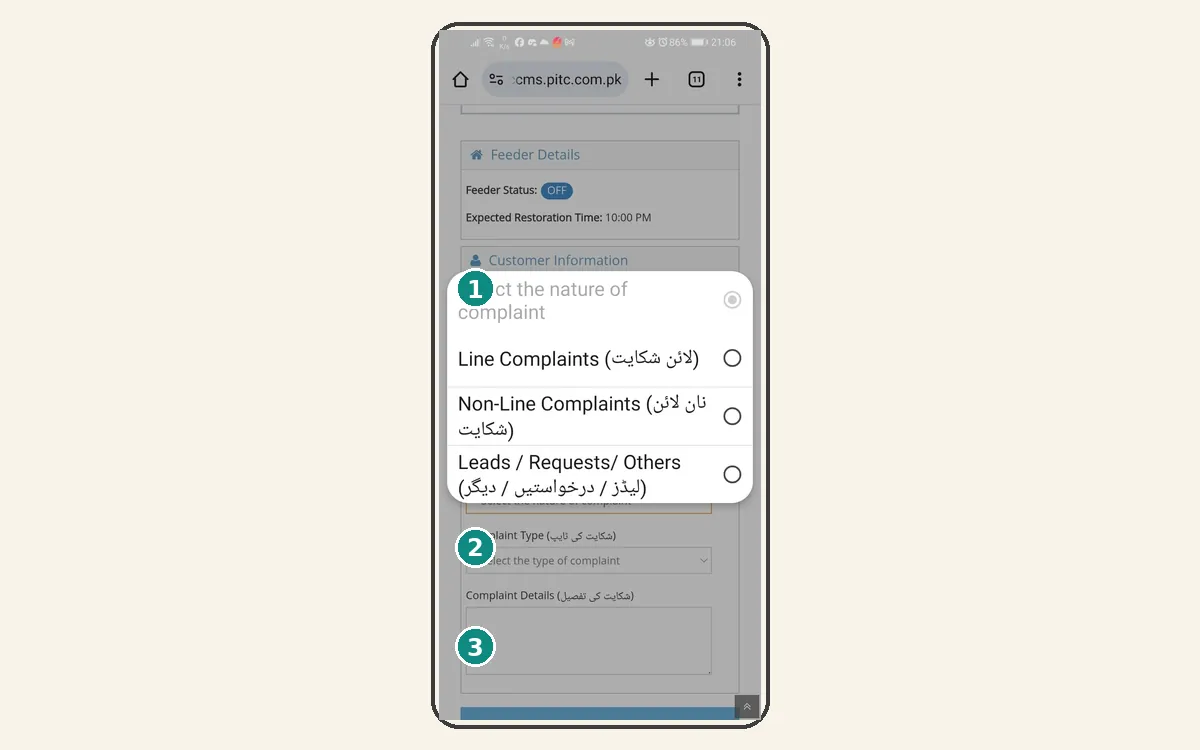
Step 1 — Access the Portal
Visit ccms.pitc.com.pk/complaint.
Step 2 — Find Your Connection
Search by Reference Number (direct lookup), Registered Mobile Number (if you’ve forgotten your reference number), or CNIC (useful if you have multiple connections). Searching by mobile or CNIC shows a list of linked connections — select the right one.
Step 3 — Fill in the Complaint
CCMS uses a two-step classification so your complaint reaches the right department:
Complaint Category (شکایت کی کیٹیگیری):
Line Complaints (لائن شکایت) — technical faults, low/high voltage, power outages, sparking, transformer issues.
Non-Line Complaints (نان لائن شکایت) — billing errors, meter reading issues, theft reporting, corruption.
Leads / Requests / Others (لیڈز / درخواستیںں / دیگر) — new service requests: meter relocation, net metering, name changes.
Complaint Type then narrows further based on your category — for a voltage issue you’d pick “Low/High Voltage”; for a wedding or construction connection you’d pick “Temporary Connection.” In the details box, be specific: for billing, name the exact month and reading; for a line fault, name the pole or wire location.
Step 4 — Submit & Track
Click Register Complaint. You’ll get a Complaint Number / Ticket ID on screen — write it down. Use it on the same site later to check progress.
2. Via a Mobile App
Some DISCOs support a mobile complaint app (Roshan Pakistan / DISCO Light). Download it, register with your reference number, and tap “Lodge Complaint” — it can use your GPS location and account details automatically, and also shows your load-shedding schedule and billing history.
3. Via SMS (8118)
No internet access? Send an SMS to 8118 in this format:
[Reference Number] [Space] [Complaint Details] [Space] [Your Name]
Example: 12345678901234 Transformer Fuse Blown Model Town Umar Khan. You’ll get an automated reply with your ticket number.
4. Via the 24/7 Helpline (118)
For emergencies — a fallen wire, a fire hazard, a total area blackout — speaking to a person is usually fastest. Dial 118 from any landline or mobile network; it’s toll-free even without an active balance, provided you have an active package. The operator will ask for your reference number and log the complaint for you.
5. In Person, via Your Local Circle/Subdivision Office
If online methods stall or your issue needs a senior officer (SDO or XEN) to intervene, visiting the right office matters. Each DISCO is divided into administrative circles and subdivisions — check our DISCO Offices Directory for contact numbers for Revenue Officers (billing issues) and Technical Officers (line faults) in your area. CCMS gives you a trackable digital record; an in-person visit is the last resort if an issue stays unresolved for weeks.
Escalating: NEPRA & the Federal Ombudsman
If your DISCO doesn’t resolve a legitimate complaint within a reasonable window (usually 14 days for billing or technical issues), you have two further options.
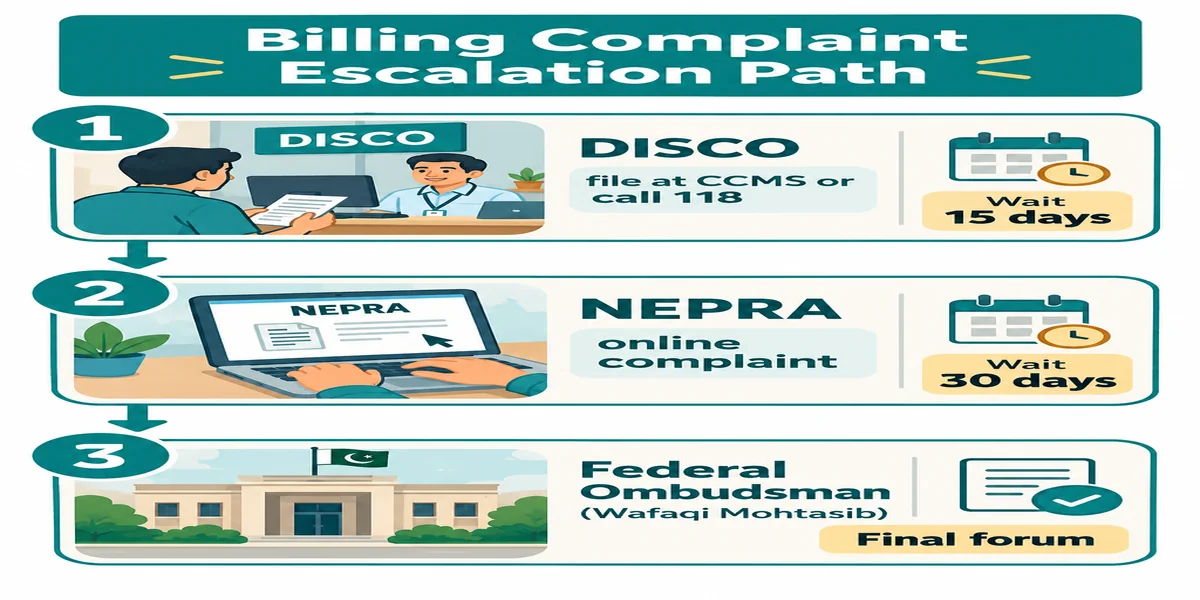
NEPRA
NEPRA’s Consumer Affairs Division (CAD) handles complaints against DISCOs directly. File through the “NEPRA Asaan Lodgement” system online — you’ll need your CCMS tracking number as proof you tried to resolve it with your DISCO first.
Federal Ombudsman (Wafaqi Mohtasib)
If NEPRA’s response isn’t satisfactory, or the issue involves poor service, unjustified delays, or unfair billing, the Federal Ombudsman is a free option — no lawyer required — and is legally bound to decide within 60 days. File online or by post via mohtasib.gov.pk, at the Islamabad Secretariat or a regional office. You must file within 3 months of the issue, and again need your CCMS ticket ID as proof of your first complaint.
Which Category Should I Choose?
Line Complaints — physical grid/wire/transformer issues
- Power outage (while neighbours have supply)
- Line fault: broken wires, sparking, loose connections
- Voltage issues: low/high voltage, fluctuation
- Transformer: damage, oil leakage, tripping
- Safety hazards: fallen live wire, electrical fire
Non-Line Complaints — billing, meter and integrity issues
- Billing: excess or under-billing, detection bill, late/non-delivery of bill
- Meter reading: wrong reading, no reading taken, defective meter
- Theft & corruption reporting
Leads / Requests / Others — service requests, not faults
- New or temporary connection, reconnection
- Change of name, tariff, or sanctioned load
- Meter relocation
- Net metering / solar
FAQs
How long does resolution usually take?
Minor technical faults (a blown fuse) are typically resolved in 4–12 hours. Billing corrections can take 7–14 days since they need verification by a Revenue Officer.
Is the 118 helpline free?
Yes, toll-free from landlines; standard rates may apply on mobile depending on your package.
Can I report electricity theft anonymously?
Yes — via CCMS’s “Theft Reporting” option or by calling 118.
My bill shows a ‘Detection Bill.’ What now?
A detection bill is added when the DISCO suspects meter tampering or a slow meter. If you think it’s wrong, file a billing complaint on CCMS immediately and attach a clear photo of your meter.
CCMS shows ‘Resolved’ but my power is still out — what do I do?
This can happen from an automatic status update. Call 118, quote your old ticket number, and state the issue persists — or re-open it via the mobile app if your DISCO offers one.
Can I apply for a new connection through the complaint portal?
No — complaints are for existing connections only. For a new connection, use the ENC portal process instead.
I lost my reference number — how do I find it?
Check any old bill, or your SMS history if you’re subscribed to bill alerts. You can also check your bill directly using our bill checker.
Can I take a DISCO to court?
You can, but civil court is slow and costly. The Federal Ombudsman route (free, and binding on the DISCO) is worth exhausting first.
How do I check my complaint status?
Visit ccms.pitc.com.pk, click “Track Complaint,” and enter the tracking number from your SMS or the original submission.
Keep reading
Related guides
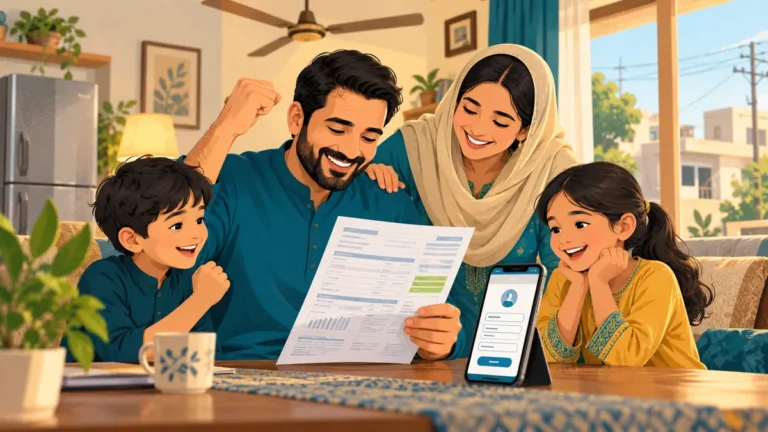
Cross Subsidy Program 2026 — PITC Online Registration, Eligibility & Bill Relief
A free, nationwide registration that puts eligible households on the protected (lifeline) tariff — often saving Rs. 500–2,000+ per bill.
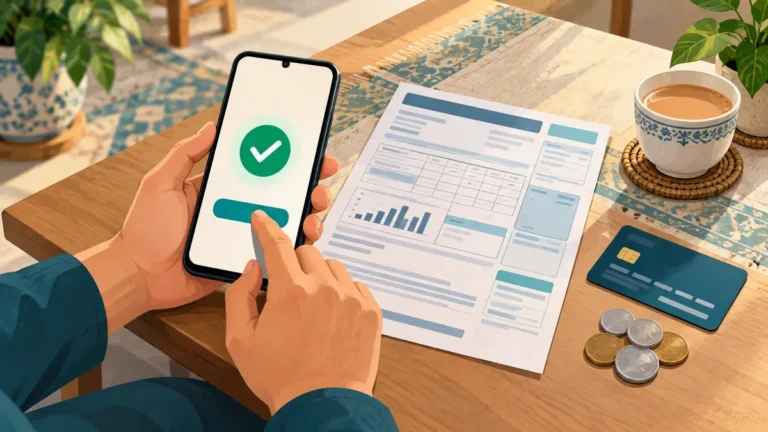
How to Pay Your Electricity Bill
Six ways to pay a DISCO electricity bill — mobile wallets, banking apps, QR scan, ATM, retail outlets or card — and what to do if…
How to Apply for a New Electricity Connection
A step-by-step walkthrough of Pakistan's ENC Portal — the shared online system every DISCO uses for new connections.
Put the guide to work
Free tools for all 11 DISCOs. No sign-up, nothing stored.